← All Workshops
AWS · Workshop
Deploy a Multi-Container App on AWS ECS Fargate
A beginner-friendly workshop — run a full-stack app in Docker locally, then deploy it to AWS ECS Fargate. Choose your deployment style: manual CloudFormation or automated CI/CD with GitHub Actions.
ECSFargateService DiscoveryCloudFormationGitHub ActionsDockerALBECRIAMVPC
🚀 What You'll Build
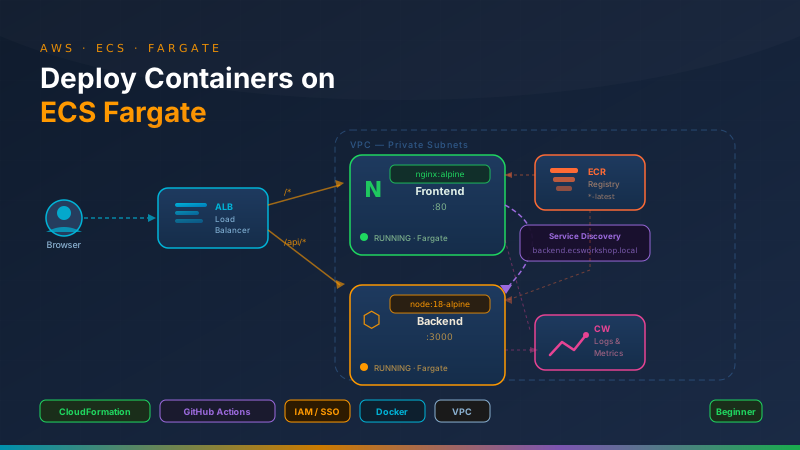
You will run a two-container app (Nginx frontend + Node.js backend) on your laptop first, then deploy it to AWS ECS Fargate behind an Application Load Balancer — learning exactly how containers find each other in both environments.
✅ Prerequisites
- An AWS account (free tier is fine to start)
- A GitHub account
- A laptop running macOS, Windows, or Linux
- No prior AWS or Docker experience required — we start from scratch
Workshop Modules
Want video walkthroughs?
This workshop is also available on Udemy with full video walkthroughs and downloadable code.
View on Udemy →